Increment banks time, delay only postpones it
Two rules exist for stopping a good game being decided by a two-second scramble, and they are not interchangeable. This clock implements both.
Fischer increment adds a fixed number of seconds to your clock each time you complete a move and press it. On a 3+2 you start with three minutes and gain two seconds per completed move, the first one included, so 180 seconds minus four seconds of thought plus two seconds of increment leaves you on 178. Time you do not spend accumulates, and in a long increment game a quick player can finish with more on the clock than they started with.
Simple delay, the American convention, adds nothing at all. Instead your main clock sits still for the first few seconds of every move and only starts draining once that window is used up. On a three-second delay a two-second move costs you nothing and a five-second move costs you two seconds. The window never carries over, and that is the whole distinction: increment credits your bank, delay simply refuses to charge you for the opening moments of thought.
Set the seconds figure to zero in either mode and you have sudden death: a plain countdown, which is what 5+0 and 3+0 are.
The preset row, and the delay control hiding in it
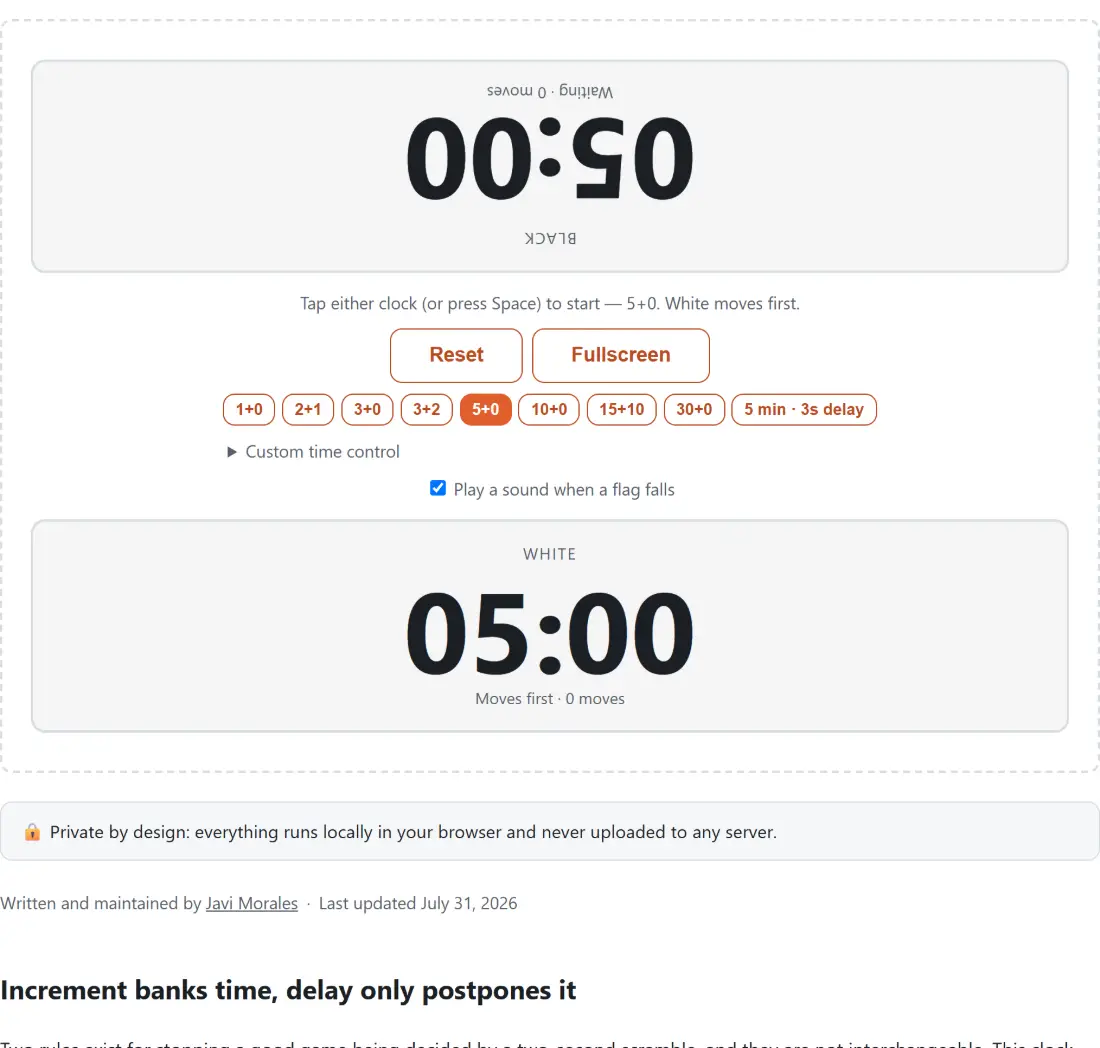
The clock opens on 5+0. The preset buttons run from 1+0 and 2+1 in the bullet range, through the blitz group of 3+0, 3+2 and 5+0, the rapid pair of 10+0 and 15+10, and a 30+0 classical control. One button is the odd one out, labelled with minutes and a delay in seconds rather than the plus shorthand, and it is the only preset that switches the clock into simple-delay mode; everything else on the row is Fischer increment.
Anything the row does not cover lives under Custom time control, a collapsed section holding three fields: Minutes per player, a seconds field that renames itself Increment (sec) or Delay (sec) to match the mode, and a Mode select offering Increment (Fischer) and Delay (simple). Minutes take quarter steps, so 0.25 gives you a fifteen-second ultrabullet clock, and the ceiling is 180 minutes. The seconds field runs from 0 to 60.
Presets and custom fields grey out the instant a game starts and stay greyed while it is paused; the hint under them says to hit Reset first, and reset returns both clocks to full with White on move.
Laying a phone flat between two players
The layout assumes a device on the table rather than one held by a single person. Black’s panel is on top and rotated a half turn so the player sitting opposite reads it the right way up; White’s sits underneath. Each panel shows its side’s name, its time, its status and how many moves it has completed.
- Pick a preset, or open Custom time control and set minutes, seconds and mode.
- Lay the device flat between both players, Black’s rotated panel facing the far side.
- Tap either panel, or press Space, to start. White’s clock runs first whichever side was tapped.
- After each move tap your own panel (or press Space) to stop your clock and start your opponent’s.
- Press Pause or the P key if the game is interrupted; Reset starts a fresh game on the same control.
While a game runs, tapping the panel that is not on move does nothing whatsoever, which is what stops a stray thumb from ending someone’s turn. There is also a Fullscreen button for a projector or a second screen, and a checkbox labelled Play a sound when a flag falls if you would rather the beep stayed off.
Under 20 seconds the display switches to tenths
Above twenty seconds each panel shows minutes and seconds rounded up (with an hours field once a control passes an hour), so a fresh five-minute clock reads 05:00 for a moment instead of dropping straight to 04:59. Below twenty it changes to whole seconds and one decimal, the convention digital chess clocks use: in a scramble the difference between 3.9 and 3.1 is the difference between having a move and not.
Underneath, nothing is counted down. The running side’s turn stores a single timestamp and every frame recomputes the remaining time from the current system clock, so the display cannot drift the way a tick-by-tick counter does. When a clock reaches zero the flag falls by itself: the game ends, one panel is marked as flagged and the other as winning on time, and both panels stop responding to taps.
What a browser clock is not
This is a club and kitchen-table clock. It keeps time from your device’s own clock, which is fine for friendly games, coaching and drills, but it is not a certified tournament device; a rated over-the-board game still wants an approved physical clock on the table.
The practical limitation is the tab itself. Recomputing from real time means a brief interruption resolves correctly the instant the tab is looked at again, but browsers throttle background tabs, so a clock left running while you switch apps or let the phone sleep can update late even though the arithmetic lands in the right place. Keep the tab in front with the screen awake.
If the reason you are here is a club night rather than a single game, the Tournament Bracket Generator will seed the knockout, the Online Timer & Stopwatch runs a shared countdown, and the Interval Timer suits timed tactics drills where every round is the same length. The rest of the testers and widgets sit on one hub.