Timestamps instead of ticks
There is a classic way to build a timer that drifts in a background tab, and it is to count. Every second an interval fires, a variable goes up by one, and the displayed value is the sum of however many times that happened. Then the browser throttles the interval to save battery, a few dozen ticks never happen, and the clock quietly loses a minute.
This one stores two things instead: how much time earlier segments accumulated, and the wall clock reading at which the current segment began. Everything on screen is derived from those two numbers plus the current time, recomputed from scratch on every repaint. Pausing folds the running segment into the accumulated total and drops the start reading; resuming takes a fresh one. There is no counter anywhere to fall behind.
Two things drive the repainting. An animation frame loop gives smooth updates while the tab is in front, and a one second interval keeps going when it is not, because browsers clamp interval timers in hidden tabs rather than suspending them outright. A visibility listener forces one extra recalculation the instant you switch back. The honest consequence is that a hidden tab may repaint rarely; the value it repaints is never wrong.
Four presets, a custom box and a 180 minute ceiling
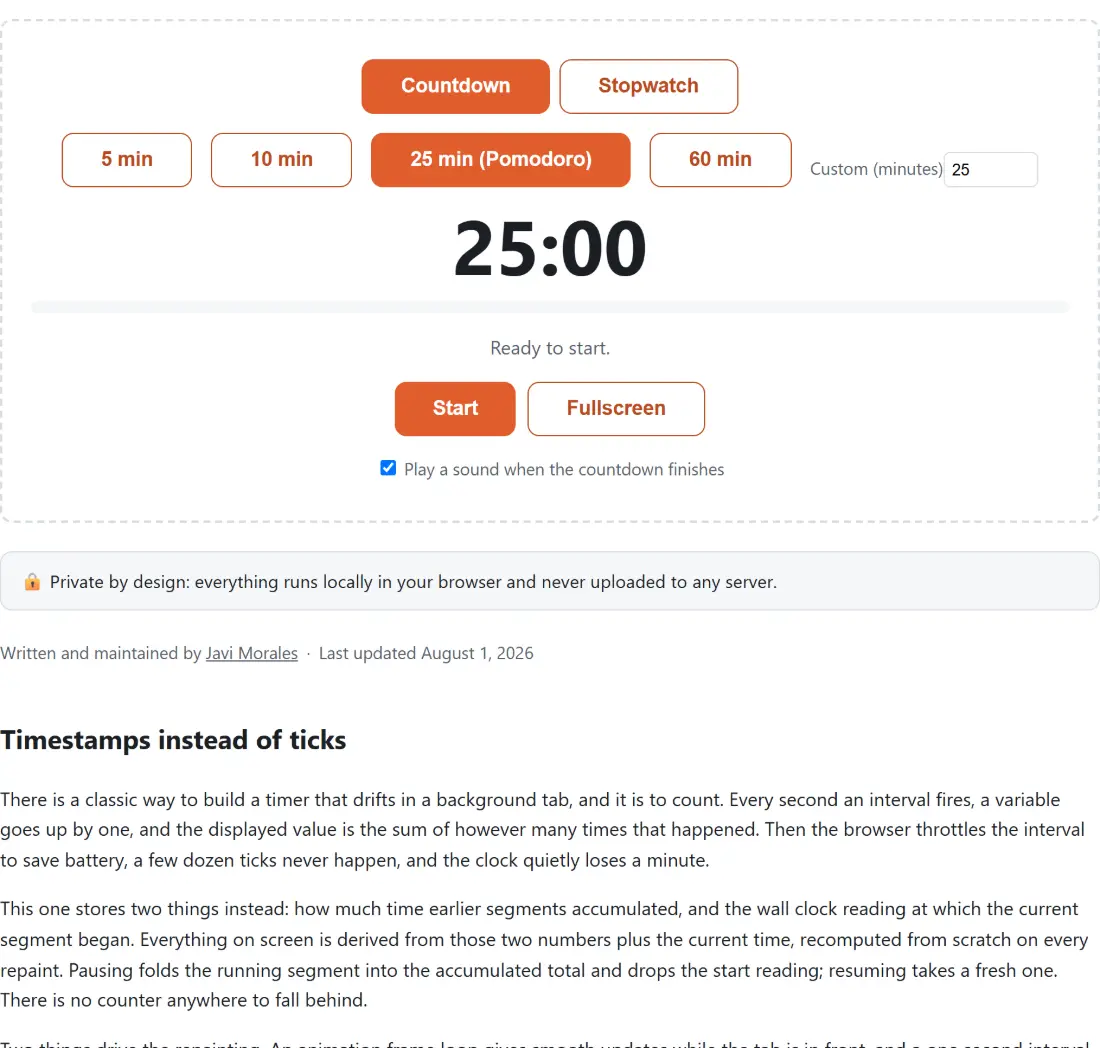
Countdown mode offers 5 min, 10 min, 25 min (Pomodoro) and 60 min as buttons, plus a Custom (minutes) field. That field accepts whole minutes between 1 and 180 and nothing else: what you type is rounded and clamped, so 2.4 becomes 2 and 500 becomes 180. Empty it and the duration falls back to a single minute rather than to 25.
The clock formats itself to fit. Under an hour it reads as minutes and seconds; at 3600 seconds and above an hours field appears, so the 60 minute preset opens showing one hour rather than sixty minutes. Countdown seconds are rounded up, which is why a fresh five minute timer sits on 05:00 until a genuine second has passed instead of jumping to 04:59 on the first repaint. Stopwatch mode rounds the other way, since it counts up from zero.
The progress bar belongs to the countdown alone. A stopwatch has no total to be a fraction of, so the bar simply is not drawn in that mode.
Three oscillator beeps and a tab title that counts down
The alarm is generated, not downloaded. Two short 880 Hz beeps and a longer one at 1046.5 Hz are scheduled on a freshly created audio context, which closes itself once the pattern has played. That is why there is no audio asset to wait for, and why the sound still works offline. If the browser refuses to create the context, the failure is swallowed on purpose: the visible state change and the tab title still tell you what happened.
The tab title is the other half of the “leave it running” story. While the timer is going, the page title becomes an icon, the current clock value, and the page’s own short name, with a bracketed note when paused and an alarm clock icon plus the words Time’s up when a countdown ends. Returning to idle, or leaving the page, restores the original title exactly.
The checkbox reading Play a sound when the countdown finishes is on by default and applies to countdowns only. A stopwatch has no finish line to announce.
Running a countdown end to end
- Leave the mode on Countdown, or press Stopwatch to count up from zero instead.
- Pick one of the four presets, or type a whole number of minutes into Custom (minutes).
- Press Start. The status line changes to show it is running, and the tab title starts carrying the clock.
- Use Pause and Resume freely. Time is folded into a running total on each pause, so stopping and starting five times costs you nothing.
- Press Fullscreen for a big across-the-room clock, and Exit fullscreen or the Escape key to come back. The run continues either way.
- When the countdown lands on zero the alarm plays and the status reads Time’s up. Press Reset before setting up the next one.
Reaching zero, and the Reset you have to press first
That last step is not a stylistic preference. When a countdown finishes, the widget parks the elapsed total at exactly the full duration and shows a button labelled Start again. Pressing it resumes from that parked total, which already satisfies the finish condition, so the timer drops straight back into the finished state and replays the alarm rather than starting a fresh run. Reset is what actually returns the elapsed total to zero and unlocks the presets and the mode buttons. Press Reset, then Start, and you get the clean second run you expected.
It is worth knowing rather than working around, because the visible symptom, an alarm that fires immediately and a clock stuck on zero, looks much more alarming than the cause.
Choosing between this and the other clocks here
A plain timer is the right tool surprisingly often, but not always. If you want the focus cycle managed for you rather than restarting a 25 minute preset by hand, the Pomodoro timer runs focus and break phases in sequence, with a longer break after every fourth session. For training, the interval timer expands work and rest rounds into sets and counts through the whole workout instead of one block. If the thing you care about is a time of day rather than a duration, the online alarm clock takes a clock time and will hold several alarms at once. Two players sharing one countdown want the chess clock, which implements Fischer increment and simple delay properly. The testers hub lists the rest of the widgets in this family.