Typing Speed Test

Take a 1, 3 or 5 minute typing test with live per-character feedback, net WPM, accuracy and a local results history. No account and nothing uploaded.

🌐 Español

Time left: 60sWPM: 0Accuracy: 100%
you body well and him come eye own get child right job long job after by the world should air up country put this while day one that point will tell at play what another day first these time person right spell good other each use in never should few family them eye child month the move life only wor

πŸ”’ Private by design: everything runs locally in your browser and never uploaded to any server.

Speed is only half the measure

A typing test that reported speed alone would be easy to cheat and useless to learn from, because typing fast while making mistakes is not typing fast. Two figures matter together, and this test computes them so they cannot be traded against each other.

The words per minute figure counts only correct characters. Type quickly and sloppily and the speed itself falls, rather than staying high next to an embarrassing error count. The accuracy figure then tells you the shape of the problem, whether you are losing a little to occasional slips or a lot to consistently wrong reaches.

Read together they diagnose. High speed with low accuracy means slow down. Moderate speed with high accuracy means you have room to push. Low on both usually means the layout or the keyboard rather than you.

Taking a test

  1. Choose one, three or five minutes.
  2. Start typing the text shown. The clock begins on your first keystroke, not on a button.
  3. Watch the characters mark themselves correct or incorrect as you go.
  4. Keep going until the time runs out. The input locks and the results appear.
  5. Compare against the history table below, and use the restart control for a fresh passage.

Why a word is five characters

The convention looks arbitrary and is the reason typing scores mean anything at all.

If a word were an actual word, a passage of short common words would produce a much higher score than one full of long words, for identical typing. Nobody could compare two results without knowing the text. Defining a word as five characters, spaces included, removes the text from the equation entirely, so the score measures keystrokes per unit time regardless of what you were typing.

It also makes the arithmetic checkable. Two hundred and fifty correct characters in a minute is fifty words per minute, and you can verify that by hand.

The clock starts when you do

Nothing counts down until your first keystroke. That sounds minor and it removes a real source of noise, because a countdown that starts when you press a button spends its first second or two measuring you moving your hands to the keyboard rather than typing.

The text is also generated fresh each run from a word bank, with far more words than anyone will reach in five minutes. Two consequences follow. You will never run out mid test, and you cannot memorise the passage, which is the usual way people accidentally inflate their own scores over a session.

Choosing a duration honestly

Most people take the one minute test, post the number, and consider themselves measured. A one minute score is a sprint. It is a genuine measure of peak burst speed and it is not the number that describes your working day.

Three and five minute tests bring in the things that actually limit sustained typing, which are concentration and hand fatigue rather than raw finger speed. Almost everyone is slower over five minutes than over one, and the gap between the two is itself informative. A large gap suggests technique that is not sustainable, usually tension.

Because of that, the personal best is tracked separately for each duration rather than pooled into one figure. A one minute record and a five minute record are different achievements.

If the problem is the keyboard rather than your typing, Keyboard Tester shows every keypress as it registers and exposes a key that is failing to report. For raw reaction rather than sustained speed, Reaction Time Test and Aim Trainer measure different things, and CPS Test counts clicks rather than keystrokes.

To count words in your own writing rather than in a test passage, Word Counter does that with reading time included. The rest are on the testers hub.
See it in action

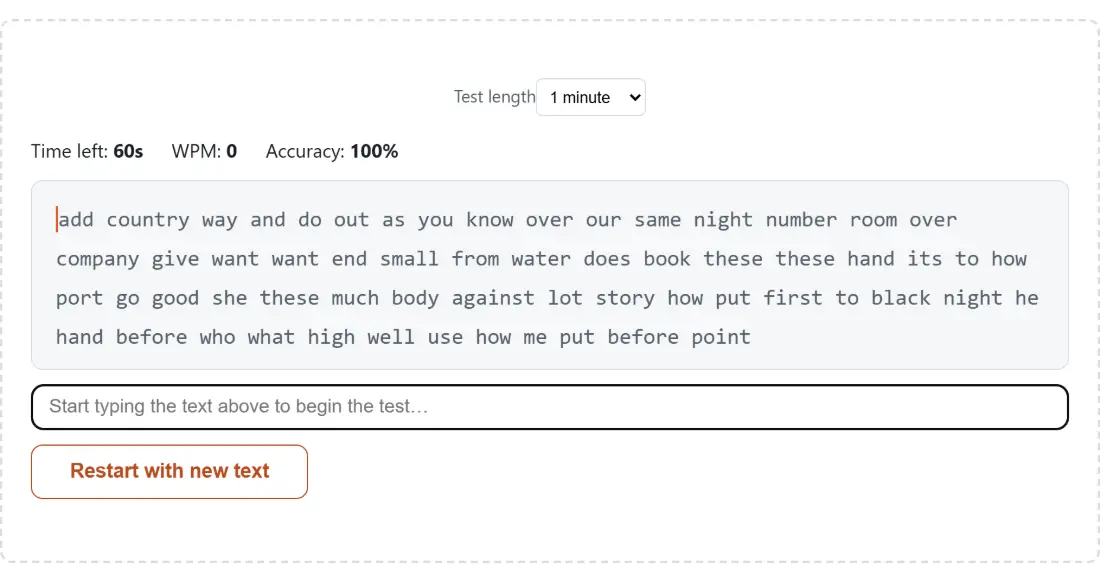
Screenshot of the Typing Speed Test tool with the 60-second test waiting to start, with the passage to type and the live time-left, WPM and accuracy readouts at zero
Typing Speed Test mid-process: the 60-second test waiting to start, with the passage to type and the live time-left, WPM and accuracy readouts at zero.
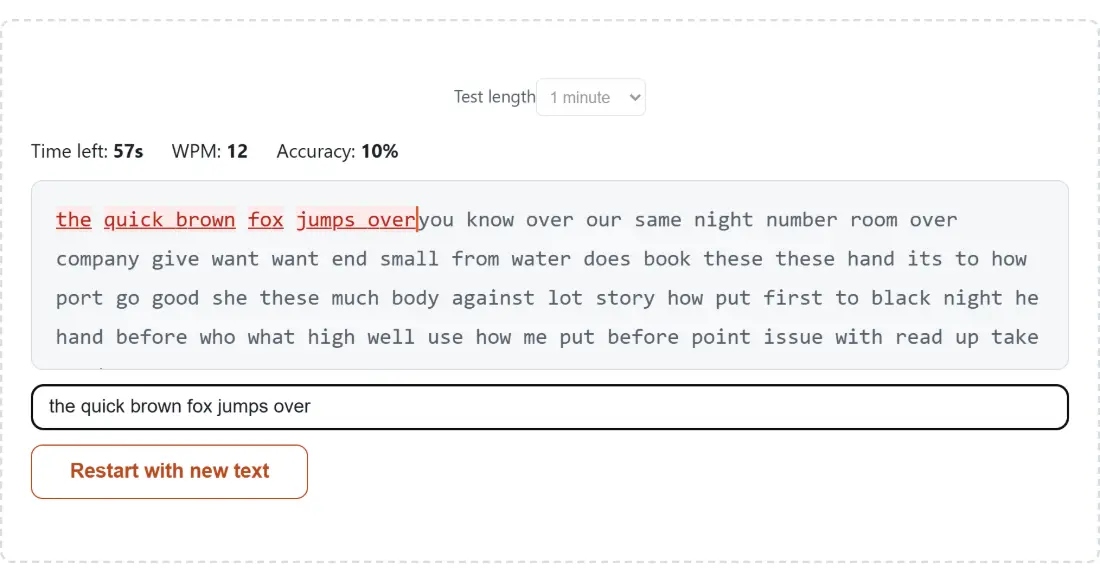
Screenshot of the Typing Speed Test result screen showing the test mid-run after typing "the quick brown fox jumps over", with the countdown ticking and live WPM and accuracy figures updating per keystroke
The finished result: the test mid-run after typing "the quick brown fox jumps over", with the countdown ticking and live WPM and accuracy figures updating per keystroke. The download link is a local blob URL β€” the file never leaves your device.

Frequently asked questions

Is the score gross or net words per minute?

Net. The words per minute figure counts only characters that were typed correctly, so a mistake reduces the score directly rather than being deducted separately afterwards. That is what most modern typing tests report by default. A word is defined as five characters, which is the long standing convention, so 250 correct characters in one minute is exactly 50 words per minute.

Why is a word five characters rather than an actual word?

Because actual words vary hugely in length and a test scored on real words would reward whoever happened to get short ones. Fixing a word at five characters, including the space, makes the measure independent of the vocabulary in the text and comparable between tests and between people. It is the convention typing tests have used for decades and it is why scores are broadly comparable across sites.

How is accuracy calculated?

Correct characters divided by everything you actually typed, rounded to a whole percent. Characters still ahead of you in the text are not counted, since accuracy over text you have not reached would be meaningless. Before you type anything it reads as one hundred percent, because no mistake has yet been made.

What do the colours on the text mean?

Each character you have typed is compared against the target and marked as correct or incorrect as you go, with the untyped remainder shown plainly ahead of you. That live marking is the part that actually improves your typing, because it shows the error at the moment you make it rather than in a summary at the end when you no longer remember what you pressed.

Which test lengths are available and does it matter which I pick?

One, three or five minutes. It matters more than people expect. A one minute test measures a burst, and most people can hold a pace for a minute that they cannot sustain. Three and five minute tests bring in fatigue and concentration, which is why a five minute score is usually lower and is the better guide to how fast you actually work.

Are my results saved, and where?

In your browser's own storage on your device, up to twenty runs, newest first, with the most recent ten shown in the table. Nothing is uploaded and there is no account. A personal best is tracked per test length rather than pooled, so a one minute record does not overshadow your five minute times. A clear control wipes the history, and corrupt or missing stored data simply resolves to an empty list.

Where does the text come from?

It is assembled from a fixed word bank, generated fresh for each run, with generously more words than anyone could type in the chosen duration so you never reach the end. Restarting produces new text rather than repeating the same passage, which stops you memorising a run and inflating your score.

Related tools