From a blank form to a numbered PDF
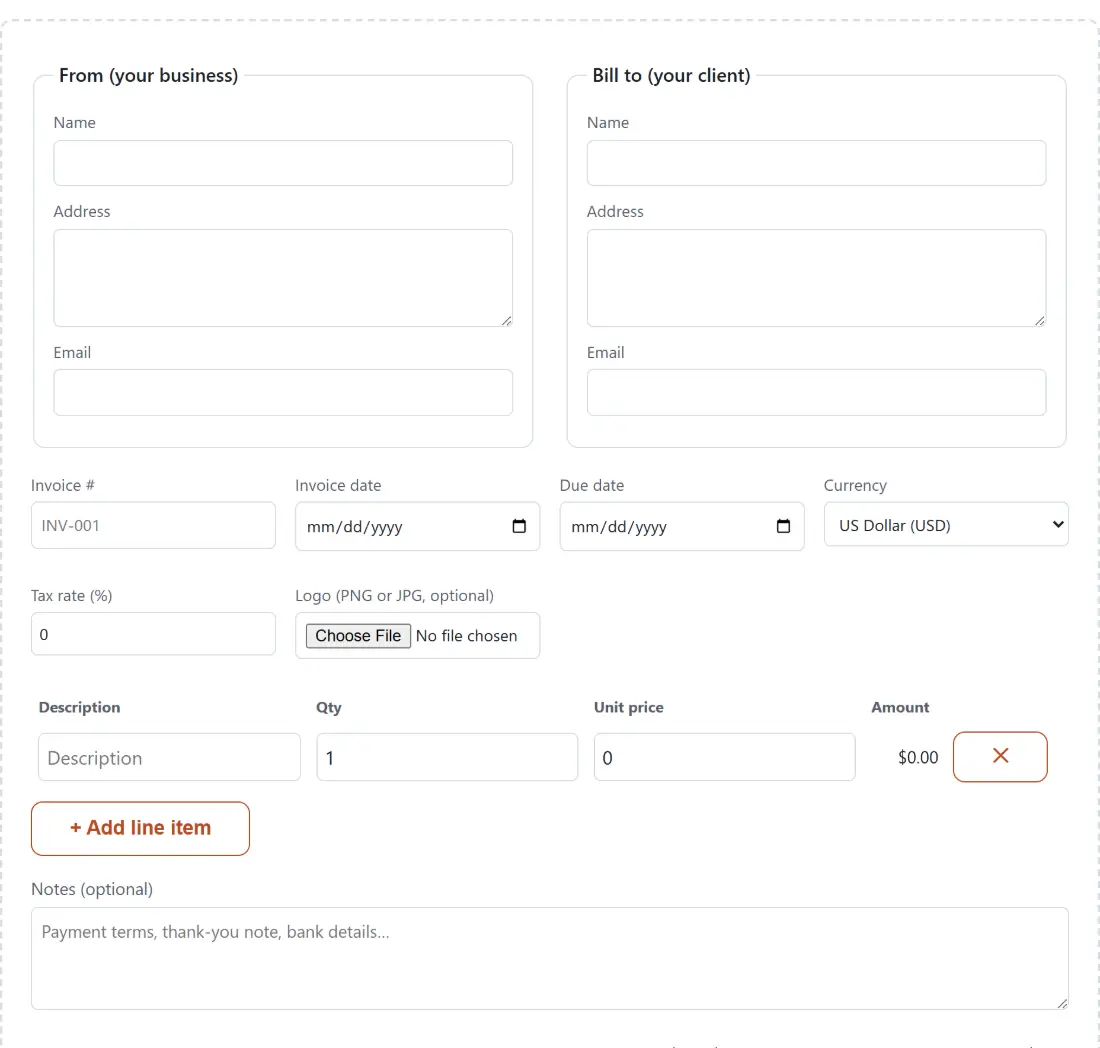
- Fill in From (your business) and Bill to (your client). Each block takes a name, a multi-line address and an email address.
- Set Invoice #, Invoice date, Due date, Currency and Tax rate (%). An empty invoice number or date prints a dash placeholder rather than a gap, so nothing looks accidentally blank.
- Add rows with + Add line item, filling in Description, Qty and Unit price. The Amount column updates as you type, and the last remaining row cannot be removed.
- Optionally add Notes (optional) for payment terms, and a Logo (PNG or JPG, optional), which appears at the top right of the first page.
- Click Generate PDF. The file downloads as
invoice-<your number>.pdf, or simplyinvoice.pdfif you left the number empty. Clear draft wipes the form and the saved copy when you are done.
Cents first, so the subtotal cannot drift
Money maths in a browser is the classic place to get bitten by binary floating point. This tool converts each line to whole cents at the earliest possible moment: quantity multiplied by unit price, rounded once to the nearest cent, and only then added up. The subtotal is a sum of integers, the tax is that integer subtotal multiplied by your rate and rounded once, and the total is two integers added together.
The difference is easy to demonstrate. Thirty lines of ten cents summed as floating-point dollars gives 3.0000000000000013, which then has to be rounded and hoped for; summed as cents it gives exactly 300, which is $3.00 and nothing else. On a realistic invoice, 12.5 hours at $64.00 plus a single $250.00 item gives a subtotal of $1,050.00, and 8.25% tax on that comes to $86.63, because 8662.5 cents rounds up rather than truncating. Total $1,136.63. Add fifty more lines and the arithmetic still cannot drift, because there is nothing fractional left to accumulate error.
What the draft remembers, and what it forgets
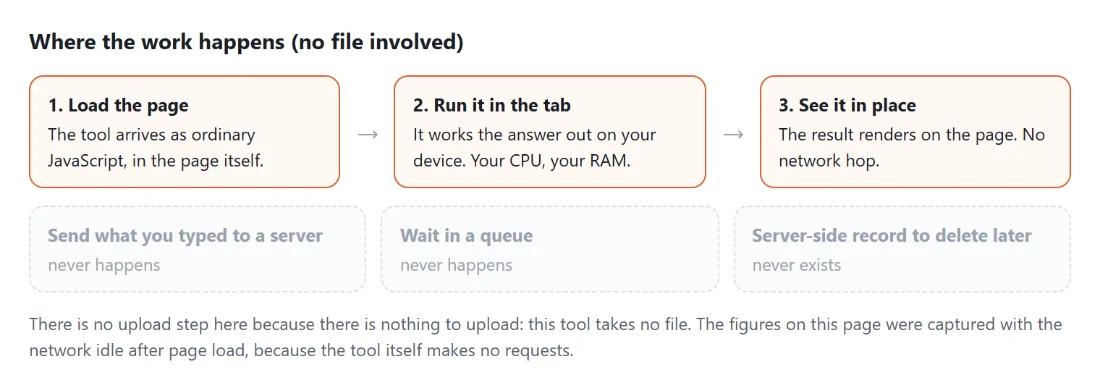
Every field, every line item, your currency and your tax rate are written to this browser’s own storage on each change and read back when you return. There is no save button, no account and no upload; the invoice details never reach a server because there is no server involved in building the file. Come back next month to bill the same client and the form is already populated.
The logo is the deliberate exception. Image files run from a few hundred kilobytes to several megabytes, and the per-site storage a browser hands out is small and shared with everything else the site keeps. Duplicating a logo into it for convenience is a poor trade, so the image is held in memory for the current session only and has to be re-selected next visit. The picker takes PNG or JPG, and the format is decided from the file’s extension: a PNG saved with a .jpg name will be handed to the JPEG decoder and generation will fail, so rename it properly rather than trusting the picker.
24 rows on page one, 39 after that
Long invoices continue onto further pages automatically. The first page carries the title, both party blocks and the invoice metadata, which leaves room for 24 line items. Continuation pages carry only a compact heading reading “Invoice ABC-123 (continued)” plus the column headers, so they hold 39. A 100-row invoice therefore splits 24, 39 and 37 across three pages, with the subtotal, tax and total block appearing once, under the final row.
Those budgets shrink when you use the Notes field, because the footer’s height is reserved on every page rather than only the last one. A two-line note takes the first page down to 20 rows and later pages to 35. That is a simplification, and it costs a little space on the pages that turn out not to be last, in exchange for a guarantee that the totals block can never overflow the bottom of a page. Given the alternative is an invoice whose total falls off the sheet, it is a trade worth making.
Currency symbols come from one locale
Eight currencies are offered: US dollar, euro, British pound, Canadian and Australian dollars, Japanese yen, Mexican peso and Indian rupee. Each renders with its real symbol, and the Mexican peso correctly disambiguates itself as MX$. What the formatter does not do is switch number conventions per country, because it is pinned to a single English locale: a euro amount prints as €1,234.56, with a comma for thousands and the symbol in front, not as the 1.234,56 € form used across much of the eurozone. Yen behaves as yen should and prints whole units with no decimal places.
If a client needs the total spelled out in words for a contract, the Number to Words Converter will do it, though you have to switch its mode from the default cardinal setting to Currency to get the “dollars and cents” phrasing. For hourly work, the Timesheet Calculator totals the week’s decimal hours you then paste into the Qty column here.
After the PDF exists
The generated file is an ordinary PDF, so the rest of the toolkit applies to it. Add a scanned signature with Sign a PDF, which places your signature image on the last page by default, exactly where an invoice wants it. Put a password on a sensitive one with Password Protect a PDF, or bind the invoice to a report or a timesheet using Merge PDF Files before sending a single attachment.
One thing this generator does not claim to be is a compliance tool. It produces a clean, readable invoice with the fields most freelancers use daily, but it does not model any country’s rules on sequential numbering, mandatory tax identifiers or structured e-invoicing formats. If your jurisdiction imposes those, check with an accountant, and use the Notes field for a VAT or tax number in the meantime.