The five characters that carry meaning in HTML markup
HTML reserves a small set of characters for its own grammar. A < opens a tag, a > closes one, an & opens an entity reference, and either quote character can end an attribute value early. Everything else in a document is just text. Drop a literal < into markup unescaped and the parser has no way to tell it from the start of a real element, so it guesses, and it guesses in favour of markup.
That is why the module behind this page holds exactly five entries in its core table. An & becomes &, < becomes <, > becomes >, a double quote becomes ", and an apostrophe becomes '. The last one is worth a second look: the apostrophe is emitted as a numeric reference rather than as ', on the grounds that ' is the form older and stricter parsers are more likely to accept.
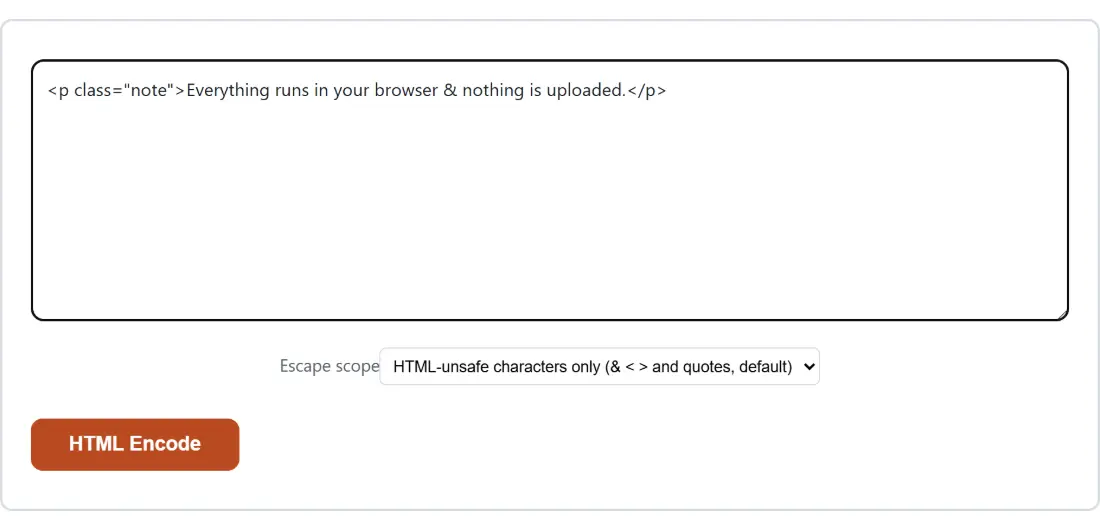
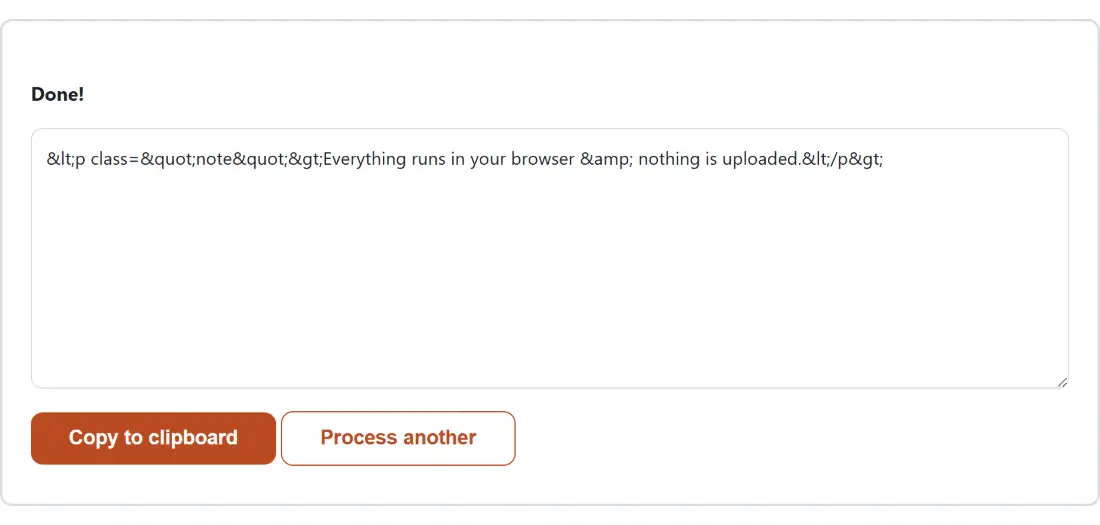
Running the module directly on a fragment of markup shows the whole default behaviour at once. The input <a href="x">Tom & Jerry's café</a> comes back as <a href="x">Tom & Jerry's café</a>. Notice that the accented letter passed straight through. That is deliberate, and the section on the second escape scope covers the case where you would want it not to.
From pasted text to entities in four clicks
- Paste the text you want escaped into the box at the top of the page.
- Leave Escape scope on
HTML-unsafe characters only (& < > and quotes, default), or switch it toAll non-ASCII too (numeric-encode é, emoji, etc.)if you also want every character above ASCII turned into a numeric reference. - Click HTML Encode. The escaped text takes the place of the input box straight away.
- Click Copy to clipboard, then paste the result into your template, your CMS field or your documentation source.
There is a Process another button beside the copy button. It empties both boxes and hands you a fresh form, which is worth knowing in advance: while the result is on screen, the input box and the Escape scope select are gone, so you cannot flip the scope and re-run against the text you just pasted.
One pass per character, which is what defuses the double-escape bug
The obvious way to write an HTML escaper is a chain of replacements: swap the <, then the >, then the &. Do it in that order and you break it. The & you just emitted inside < gets caught by the final step and escaped again, so a less-than sign ships as &lt; and your reader ends up staring at an entity name. The usual defence is a rule that the ampersand must always go first.
This module does not need the rule. It splits your text into characters, looks each one up in the table exactly once, and joins the pieces back together. Output is never fed through the table again, so the ordering problem cannot arise.
The same design explains a behaviour that occasionally catches people out. The encoder has no idea whether your text was escaped already, because it is matching characters and not entity shapes. Feed it & < and it returns &amp; &lt;, exactly as instructed. If you are recovering content from somewhere that escaped it on the way in, decode it first.
The “All non-ASCII too” scope, and the narrow case it exists for
Switch the select to the second option and every character with a code point above 127 also becomes a decimal numeric reference. An accented word, a party popper emoji and a non-breaking space come back as café, 🎉 and   respectively.
Two consequences follow. First, this scope only ever emits numeric references, never named ones, so decoding some text elsewhere and re-encoding it here will not give you your original © and back; you get © and   instead. Second, the mapping walks Unicode code points rather than UTF-16 code units, which is why the emoji produces a single 🎉 and not two mangled entities for its two surrogate halves.
Most people never need this scope. A page declared as UTF-8 renders accented letters and emoji natively, and the extra references only make your source harder to read. It earns its keep when the destination is an older system, a strict XML pipeline, or a channel whose character encoding you cannot verify. If the option arrives as anything other than the exact value all, the module quietly falls back to the default rather than guessing at what you meant.
Escaping is not sanitising, and the difference matters
Escaping makes text inert. It does not inspect what you pasted, does not remove anything, and has no concept of a dangerous tag. Hand it a script element and you get text that displays as a script element on the page, angle brackets and all. That is exactly right when your goal is to show markup, which is why code samples and documentation are the most common reason to reach for this page.
It is the wrong tool when you want to accept some markup from a user and actually render it, because escaping renders none of it. That job needs an allowlist sanitiser. The Markdown to HTML converter here is built that way on purpose: it lets its Markdown parser produce HTML and then runs the result through DOMPurify before handing anything back, because a Markdown source file is allowed to contain raw HTML tags and a parser will pass them through untouched.
Percent-encoding is a different job with a confusingly similar name
Entity encoding serves HTML’s grammar. Percent-encoding serves a URL’s. They escape different characters into different shapes, and using one where the other belongs gives you a link that looks encoded and resolves to nothing. Over on URL Encode, the default Component scope runs encodeURIComponent, so an ampersand becomes %26 rather than &, and the slash and question mark are escaped too, because inside a query value they are data rather than structure.
Going the other way is HTML Decode, which reads both named and numeric references and returns the characters they stand for. Both pages sit with the rest of the encoding, hashing and formatting utilities on the developer tools hub.